Social media profiles represent the user’s identity. From Instagram to other messaging apps, users set up their profiles with various details. These include a logo that can be unique to each user among the billion active users.
An Instagram logo is a noticeable feature when you view pages and profiles. It could represent a particular character. Or serve as the branding to connect with followers.
If you are looking to create a logo, getting one for yourself is not far-fetched. Even if you are new to the app. Below, we have highlighted the ideal format. And how to create an Instagram logo in minutes with the best tools.
Post Contents
What are the Images Used as Instagram Logos?
Instagram logos differ from other apps, such as Facebook and other media profiles you may have. There are specific sizes and formats for an ideal image logo. While you want to present the best header for your profile, the requirements ensure you upload the best logo that fits across dimensions.
An Instagram logo is a 1:1 aspect ratio. The shape for the header is rounded with little space for extras. As such, your typical Instagram logo must convey the essentials in the minimal box. A clear contrast color is also an add-on for logos that communicates the intent of the pages.
Step by Step Guide to Generate Your IG Logos
Generating Instagram logos requires a step-by-step process. It gives a hint about your profile. As such, you must show your best shot.
The mini-sized, rounded layout also involves putting everything in place: the logo icons and colors in the recommended dimensions.
Here is how you can create one.
Establish Your Profile’s Position
One of the clear-cut steps for creating a logo is having a concrete position. That is, a clear picture of your Instagram profile outlook and branding. Particularly, how it relates to the content you want to promote. This helps you to create a unique logo that stands out among other Instagram users. And determine the structuring of your future posts and content on the page.
Look out for Logo Inspirations
If you are new to Instagram, you can scan through profiles for logo inspirations. Sometimes, creating your logos can be complex as a newbie – especially when you are trying to put together your thoughts. However, it is essential to tick all the necessary boxes for an ideal logo, including the color contrast and text.
You can look through favorite profiles on Instagram pages for a lead if you are starting from scratch. One of the perks of this search is that you can evaluate possible mistakes. And create a logo that appeals to you and your followers.
Select the Design Tools You Want to Use
Creating a logo requires a design tool, whether you are new to Instagram or want to update your profile. If you have found your logo lead, using a tool that works is the next step. You can try out free or paid logo creator tools, depending on the features. And opt for one with an easy interface to save you time and from stress. The X-Design AI logo maker offers free trials for users to create logos in minutes – only with just a few prompts.
Opt for Templates or Start from Scratch
Templates are handy for creating Instagram logos. Some logo generators provide templates that can be modified to suit your needs. You can easily work with the existing text fonts, image layouts, and other details. It saves you the time of putting the basics together.
However, you can start your logo creation from scratch with a blank canvas. This technique provides you with the flexibility to try anything you want to represent your Instagram page, only with the extras of adjusting to the standards. With preferred choices, you can create free logos. Or pick from tons of templates.
Make Your Logo Simple
Simplicity is essential in Instagram logos, unlike other image uploads. If you are using a logo generator template or designing one from scratch, a simple layout should be considered in your choice. This practice ensures your logo fits in the 1:1 ratio on Instagram.
Whether it is a symbol or text-like, making the logo simple showcases the uniqueness for your followers. You must also consider your font text, color palette, and visual layout. Aside from saving time, adopting a simple approach makes the logo fit in perfectly with Instagram profiles’ dimensions and draws attention.
X-Design Tool for Instagram Logos
The X-Design AI logo maker is one of the modern software programs for generating an Instagram logo. If you are looking for an advanced design tool that can create one for your page, it is a go-to option. With AI-powered features, you can generate a professional logo without the stress of an extended search. This tool is handy for users with or without design skills.
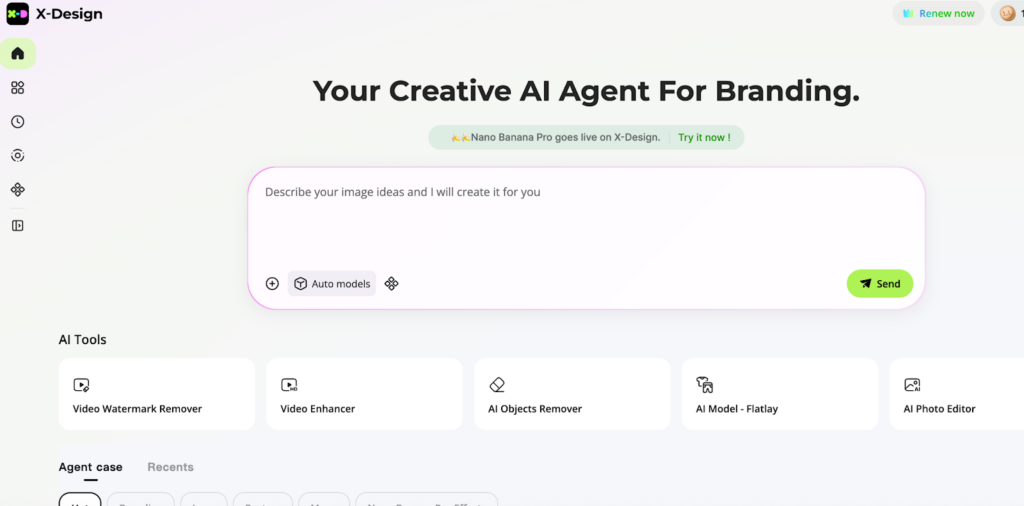
You can instantly create a logo with your business name prompt. The AI tool does not just feature an easy-to-use process; it allows users to generate results that reflect true identity. Whether you are into small business or a creator, it offers the launchpad for logos that stand out among other Instagram users. With the X-Design’s Instagram logo maker, you can make variations of different styles.
How Can You Upload Your Instagram Logo?
Here are a few steps to update your profile after you have generated a logo.
- Sign in to your Instagram account.
- Click on the Profile Icon.
- Tap on Edit Profile.
- Click on the rounded image to change your profile logo.
- Select the generated logo from your device library.
Conclusion
Creating your Instagram logo requires a well-thought-out process and a modern approach to get the best result. And to make your profile stand out among others. While Instagram users ordinarily upload a logo that relates to their page, using the best software to generate one is a plus. It also saves you from the back and forth of finding a perfect clue.