Gradient themes have been a characteristic in contemporary design. They have become common in branding, user interfaces, posters, and social media feeds. The flowing color transitions are smooth and produce visually stimulating effects that grab the attention upon the first sight. Gradients are popular with designers due to their diversity, both in the visuals of digital products and print. Aesthetics that are dynamic and yet unified are well-received by modern audiences. CapCut provides a platform on which gradient creation becomes easy and it comes with tools to blend colors seamlessly. It allows exploration of gradient variations within a short time with advanced features. Gradients are no longer merely used as backgrounds, but they characterize the mood, provide branding, and improve storytelling in the digital space.

Post Contents
The Secret of Making a Gradient Smooth and Creative
There is a continuous gradient, without sharp color contrasts. To do this, it is necessary to select color harmonies and blending techniques carefully. The minimalistic styles are advantageous to the use of gradient overlays, whereas the bold designs may experiment with high-contrast duotones or neon combinations. Hyper-clean gradient transitions can be used with tools such as Seedream 4.0, which makes each shade blend flawlessly. Gradient finishes come in a wide range of soft pastel and neon highlights, and iridescent or metallic finishes. Depending on the choice of hue, creative gradients may be used to express emotion or high-end. Using an AI image generator, designers can experiment with unusual color pairings that might be difficult to produce manually. Through AI, one can experiment with a wider range of colors, tones, and aesthetic, without creating a disjointed look.
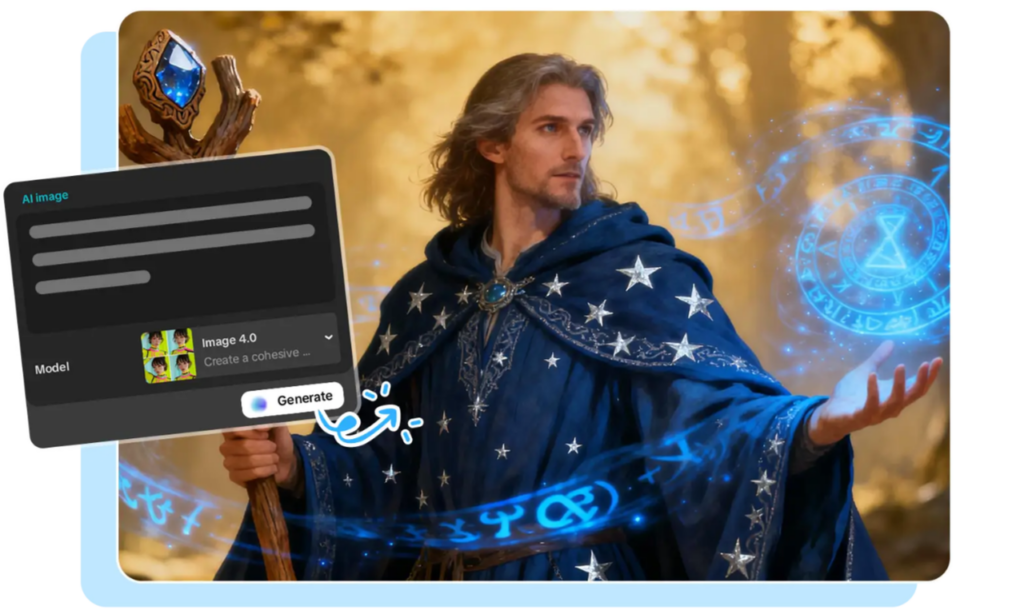
Being ready with Your Gradient Idea before Generating
It is necessary to define the overall tone before creating gradients. Think about the bold, soft, futuristic or natural appearance that the project should have. Aspect ratios must match the desired platform or format, e.g. UI screens, poster, or social media reel. Guides to consistent visual language can be reference images or color palettes. It is important to prepare clearly so that the final gradient can be of the intended design purpose. Ahead conceptualization saves time, minimizes iterations, and gives better creative control. Color planning also provides an opportunity to explore complementary schemes, which are aesthetically balanced. This planning phase is essential to both the traditional visual and the dynamic multimedia designs where it forms the basis of professional standards outputs.
Steps to Produce Smooth Gradient Themes Using an AI Image Generator Creatively
Step 1: Access the Gradient Creation Panel Select the “Image” tab in CapCut online, then click “New image” to open the workspace for gradient theme generation.
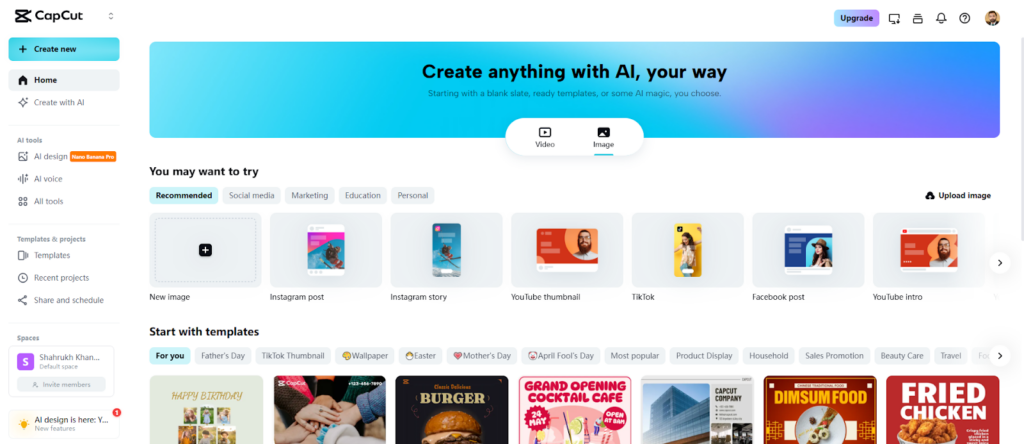
Step 2: Define Gradient Style and Ratio Enter a prompt describing the colors, style, and mood of your gradient theme. Choose an AI model such as Seedream 4.0, Image 4.0, Image 3.1, or Image 2.0 Pro based on the desired detail level. Pick an aspect ratio suitable for your platform, and optionally upload a reference image to guide the theme.
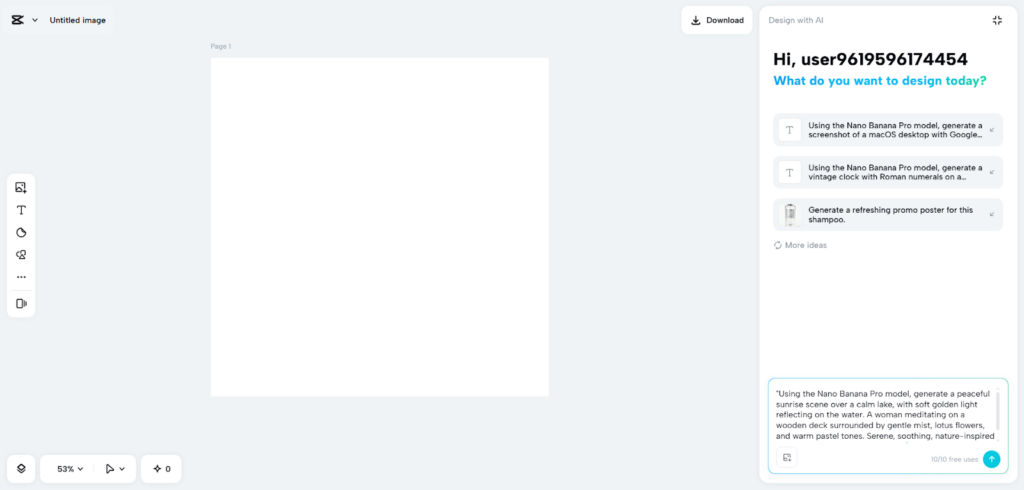
Step 3: Generate and Fine-Tune Click “Send” to let CapCut’s AI produce the gradient. Use color correction, AI upscaling, background replacement, and other tools to refine the theme. You can add shapes, text, or elements to enhance creativity.
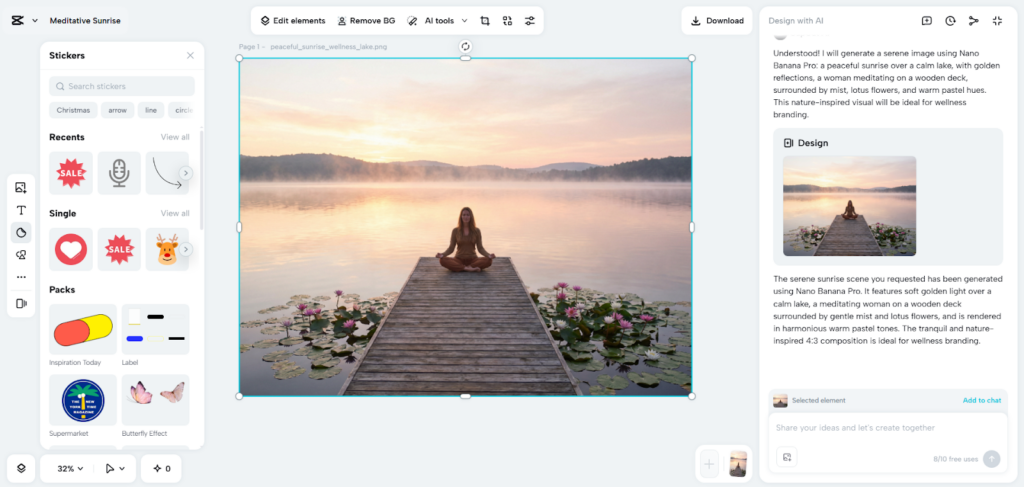
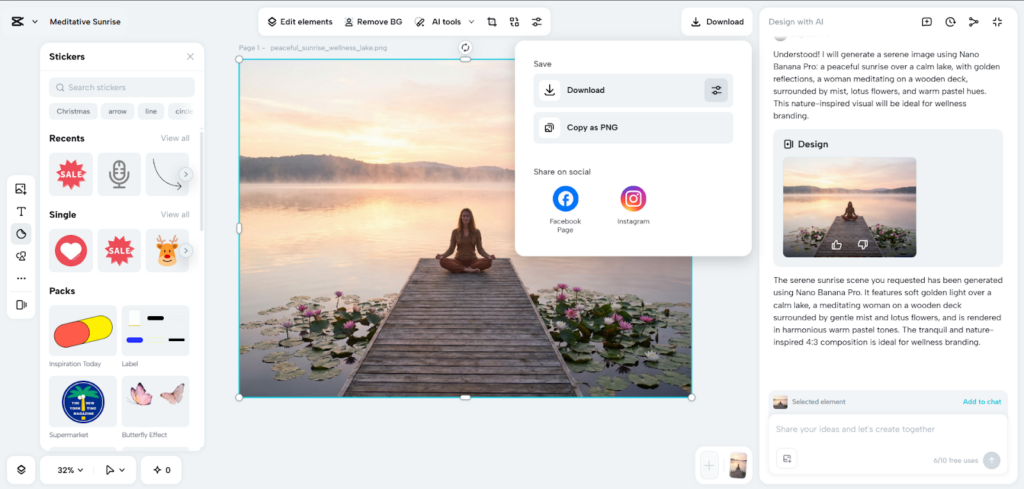
Step 4: Download and Apply Once satisfied, click the “Download” tab at the top right. Adjust format, size, and quality using the filters icon, or copy the gradient as PNG for immediate application in projects.
Designing AI-generated Artistic Gradient Themes
Multi-tone blending can be used to turn gradients into vivid visuals in the form of posters, wallpapers, or adverts. Glassy or metallic gradients are preferable to the contemporary UI theme, as they add depth and a slight reflection effect. Digital advertisements are improved with abstract gradient backgrounds which provide smooth color transitions and are intriguing to watch. Using an AI logo generator alongside gradient imagery allows integration of cohesive branding elements into visuals. Experiments are easy with AI tools, and variations are generated in just a few seconds yet of professional quality. Designers can create special compositions by applying several gradients or by playing with the level of transparency. With imaginative rearrangements of soft pastels, neon, or iridescent colors, simple images can be transformed into captivating, trendy designs that can be spotted in any platform.

Improving and Editing Gradients In CapCut
CapCut gives very accurate tools to refine generated gradients. Play with the saturation, the change of hue, or glow effect to obtain the ideal visual balance. Marketing or branding It can include geometric shapes, icons, or text overlays. Gradients can be animated in image-to-video transitions, which provide reel or video aesthetics of smooth motion. The features allow designers to transform static gradient images into dynamic storytelling content. The combination of several gradient layers gives depth, and transition effects are emphasized by motion effects. The interface of CapCut makes the editing process intuitive, allowing to maintain the quality of the creative process without disrupting the efficient working processes. This versatility can produce professional quality that can be used in commercial and digital purposes.
Novel Uses of Gradient Themes in Platforms
The use of gradients is extensive in digital mediums. They optimize the hero sections of the websites, the onboarding screens of apps, and the mobile wallpapers. AI-generated gradients can be used in brand identity kits to ensure that the visual language is consistent. Video intros, social media reels, or animated advertisements are all good uses of dynamic gradient loops. The application of the smooth color transition among various assets enhances recognition and visual coherence. Gradient intensity, hue, or orientation can be modified according to context by designers to produce flexible design systems. Gradients can also be used to tell the story, create emotion, or accentuate important details in the digital content. The incorporation of gradients has been strategic in making the visual experiences more engaging and memorable.
Conclusion
The AI-driven gradient design is a breakthrough in contemporary creativity as it allows creating smooth, accurate, and creative images. CapCut provides a convenient platform through which gradients can be created, refined, and implemented with ease to projects. Its tools enable the exploration of bold, minimalistic, or abstract styles without compromising the quality. Dynamic and static gradient applications improve branding, user interfaces and multimedia contents. Contemporary designers can experiment with colors indefinitely and create their own worlds of visual expression. With AI potentials and innovative vision, gradient themes become not merely a decoration element of the background, but the key component of the storytelling and brand identity. Smooth gradient design is liberated through experimentation and iteration in the digital era.