There’s something quietly powerful about an image. But what if you could add wind, motion, light — and most importantly, feeling — to that image? In my recent experiments with Sora 2 Image to Video, I wasn’t just creating motion; I was capturing mood in a way that surprised me.

Post Contents
Why Emotion is the Next Frontier in Visual AI
Beyond Movement: It’s About Ambiance
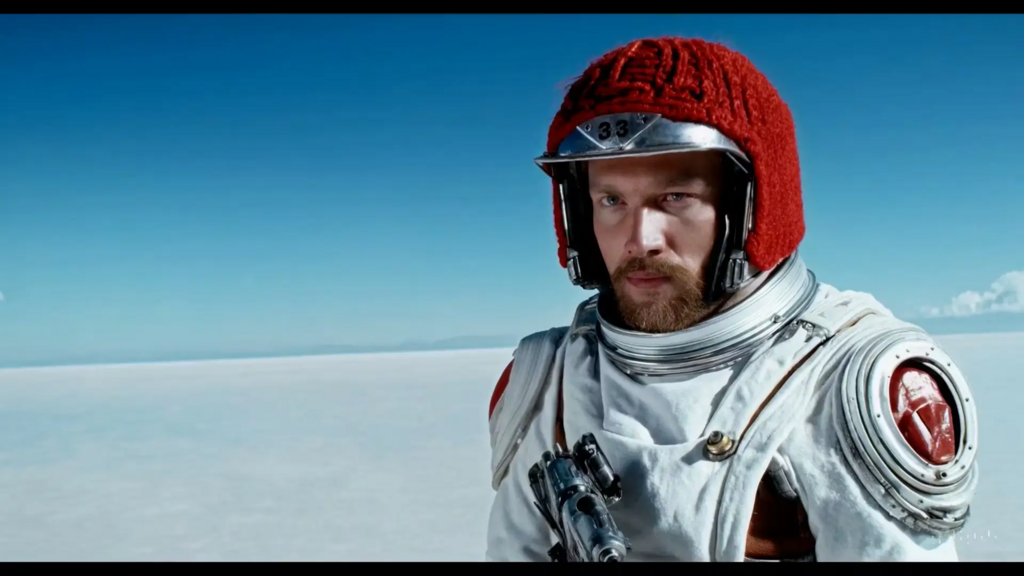
Not all videos need action. Sometimes, all they need is a breath. That’s where Sora 2 excels — not by generating loud effects, but by introducing cinematic elements like soft lens flares, ambient lighting, and slow, deliberate camera motion.
What intrigued me most wasn’t the realism, but the restraint. The AI doesn’t force motion into every frame. Instead, it whispers.
A New Use Case: Moodboards That Move
For visual artists, UX designers, or concept teams, static moodboards can now live. I tested uploading illustration-based compositions, then described tone-based prompts like “nostalgic sunset atmosphere, slight camera pan, warm lighting.” The results? Surprisingly evocative.
Feature Overview
Quick Highlights
- Input: Any image (photo, art, product shot)
- Prompt: Accepts scene direction, motion cues, emotion tags
- Aspect Ratios: Landscape / Portrait
- Video Length: 10s or 15s (fixed)
- Generation Time: ~45 seconds per clip
- Cost: 10 credits per generation (credits needed post sign-up)
Comparative Analysis: Ambient Use Cases
| Creative Use | AI Video Generator Agent | Kaiber AI | LeiaPix |
| Emotional Atmosphere | Very strong | Moderate | Light, subtle |
| Illustration Input | Works well | Less stable | Good for 3D depth only |
| Prompt Complexity | Medium | Simple only | None (predefined) |
| Sound/Audio Layering | Not supported | Supported | Not supported |
| Ideal Duration Range | 10–15s | 5–10s | 3–6s |
Where It Shines for Designers
Visual Rhythm, Not Noise
What Sora 2 generates often feels meditative — especially with soft prompts like “slow zoom in, dusk tones.” There’s value here for:
- Concept artists prototyping scenes.
- Brand teams conveying emotion through visual tone.
- UI/UX designers exploring moving background loops.
Stylization-Free, Realistic Defaults
Unlike tools that overly stylize, Sora 2 aims for cinematic neutrality. In most of my tests, it didn’t impose extra “flavor” — meaning your original image stays visually intact.
Acknowledging the Edges
No tool is magic, and this one’s no exception.
- Limited narrative scope: You can’t create full story arcs — it’s best for establishing tone.
- Prompt sensitivity: Vague prompts = flat results. You need to guide it, gently but clearly.
- No audio output: For now, you’ll have to add sound manually in post.
The Takeaway: Mood is a Medium
For creators who’ve been limited to static outputs, Sora 2 Image to Video opens a fresh emotional palette. You’re not just animating motion — you’re animating meaning.
And sometimes, that slow-moving 10-second clip says more than an entire slideshow.